
How to edit your profile bio
Updated September 6, 2026
Your bio is the short blurb on your profile. You can edit it in two places, and both do the same thing. Bios are limited to 200 characters.
Option 1: On your profile (quick)
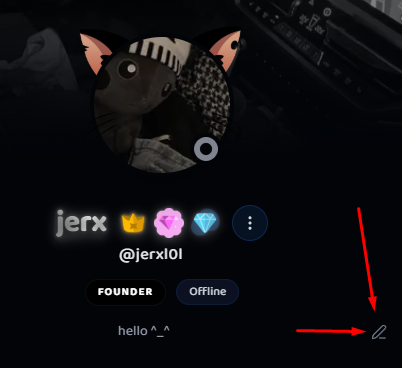
- Open your own profile.
- Find your bio line. If you haven't set one, it reads "No biography provided."
- Click the small pencil icon next to it (Edit bio).
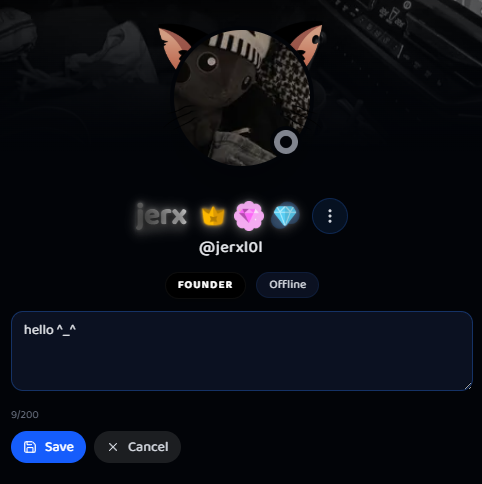
- Type your bio in the box. There's a live 200-character counter.
- Click Save. You'll see "Bio updated!" and the profile refreshes.
Option 2: In Settings
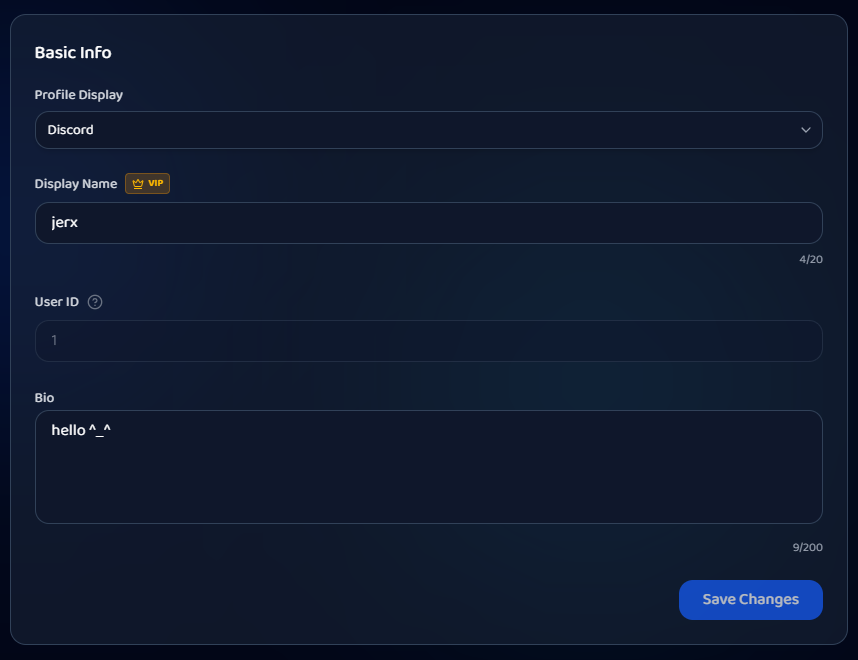
- Go to Settings and open the Edit Profile tab.
- Stay on the Main sub-tab.
- Under Basic Info, find the Bio field.
- Type your bio (200-character limit, with a counter).
- Click Save Changes. You'll see "Profile updated successfully!"
Tips
- Keep it short and useful: what games you trade, your timezone, or how to reach you on Bloxtsar.
- Bios are moderated, so no off-platform links or contact handoffs.
Was this article helpful?