
How to manage notification and message sounds
 By jerxUpdated September 6, 2026
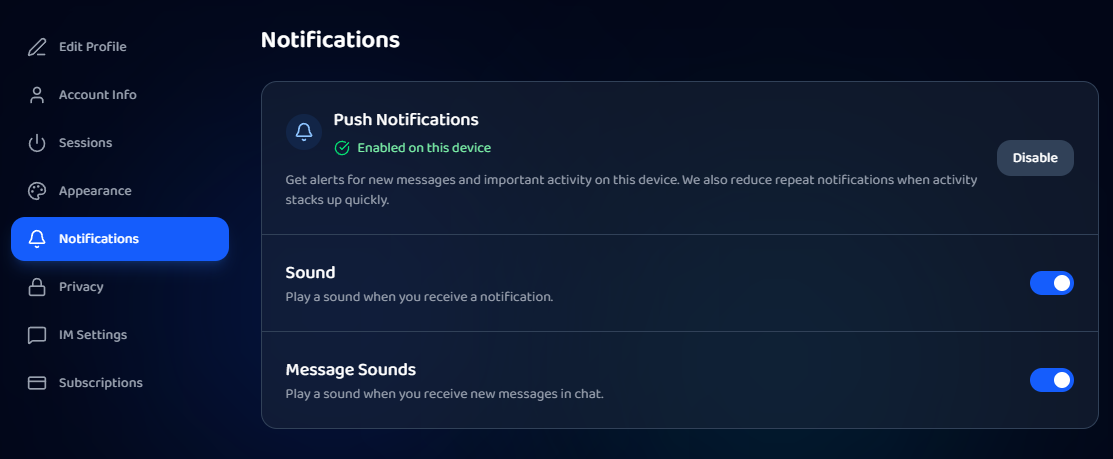
Both sound toggles live in one place: the Notifications tab in Settings.
Change them
- Go to Settings and open the Notifications tab.
- Use the two toggles:
- Sound plays a sound when you receive a notification.
- Message Sounds plays a sound when you get new chat messages.
- Changes apply immediately. Message Sounds updates live chat right away too.
Push notifications
On desktop web you'll also see a push-notification card at the top of the Notifications tab, where you can subscribe to browser push alerts. This is separate from the sound toggles and doesn't appear in the mobile app or mobile browsers.
Tip
If chat is pinging too much while you trade, turn off Message Sounds but leave Sound on so you still hear important notifications.
Was this article helpful?