
How to manage your Sessions
 By jerxUpdated September 6, 2026
The Sessions tab shows every device currently signed in to your account, so you can spot anything you don't recognize and kick it off.
View your sessions
- Go to Settings and open the Sessions tab.
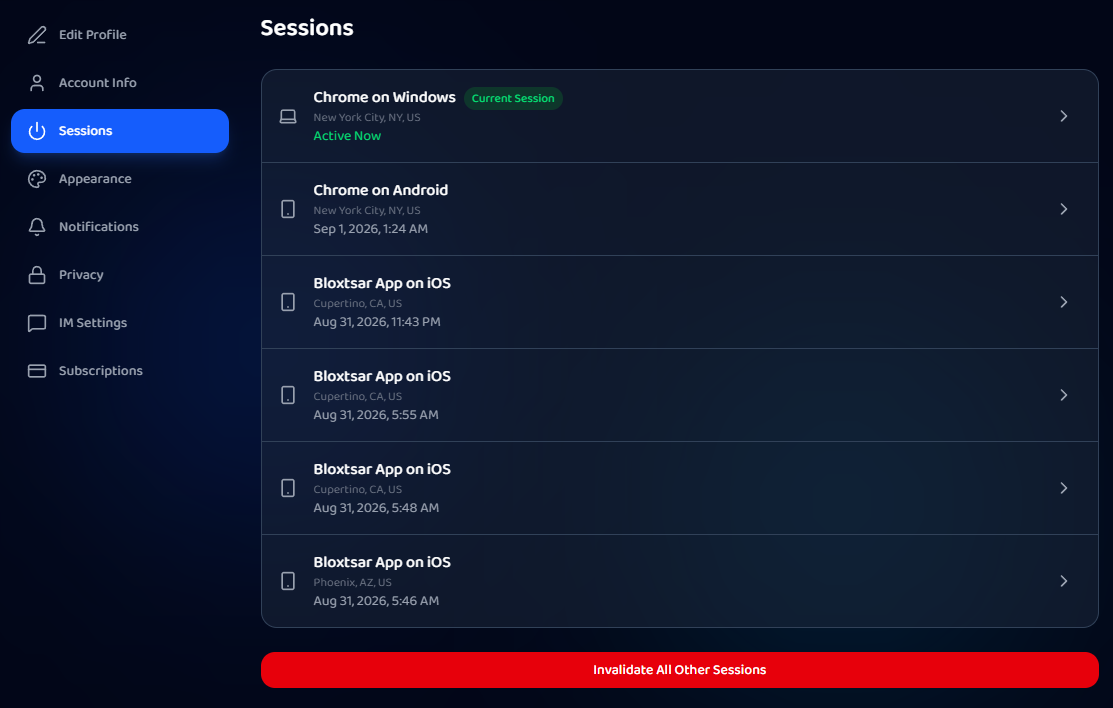
- Each row shows the device (for example "Chrome on Windows" or "Bloxtsar App on iOS"), an approximate location, and when it was last active.
- Your current device is tagged Current Session and shows Active Now.
Revoke one session
Click the arrow on a session to open its details, then revoke it. That device is signed out.
Sign out everywhere else
Use Invalidate All Other Sessions to end every session except the one you're on. If there are no other sessions, the button is disabled.
When to do this
- You signed in on a shared or public device.
- You see a device or location you don't recognize.
- After any security scare, revoke everything else and sign back in.
Bloxtsar will never ask for your Roblox password, so if a session looks off, revoke it and review Login & account safety.
Was this article helpful?