
Responding to Trade Ads: Chat & Counter-offers
 By jerxUpdated September 6, 2026
See a trade ad you like? You don't need to leave Bloxtsar to reach the trader. Messaging is built in.
Two ways to respond
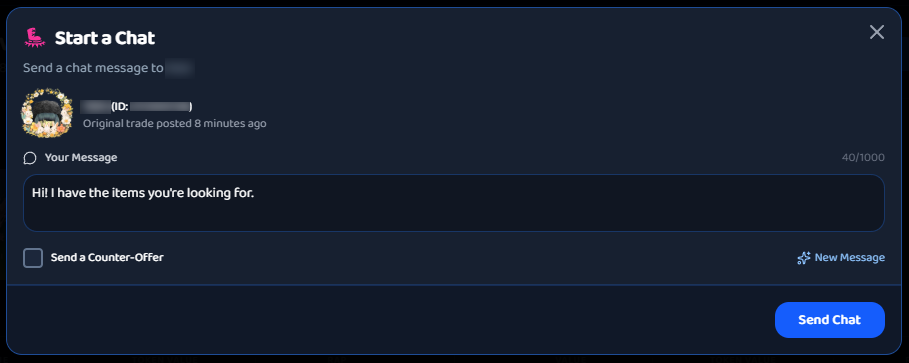
Open a trade ad and choose:
- Start a Chat: send a normal message to open a conversation.
- Send a Counter-Offer: build a proposed swap (your items versus theirs, plus optional currency) and attach it to your message. The trader sees exactly what you are proposing.
If the poster turned off counter-offers, only plain chat is available on that ad.
Where conversations live
All your chats are in Messages, reachable from the navbar and the quick messages drawer. Replies are real-time, and unread counts show on the Messages icon. Messages can be up to 1,000 characters.
You can't message yourself, and each ad links straight to a conversation with its trader.
Good first messages
- Be specific. Reference the item and your offer.
- Keep it friendly and to the point.
- Confirm values (use the Calculator) so you are both on the same page.
Keep it on Bloxtsar
Messaging here keeps a record and keeps you protected. Requests to move to Discord or other off-platform apps are filtered and against the rules. Most scams start with "let's talk somewhere else," so stay in Bloxtsar chat.
Blocking someone
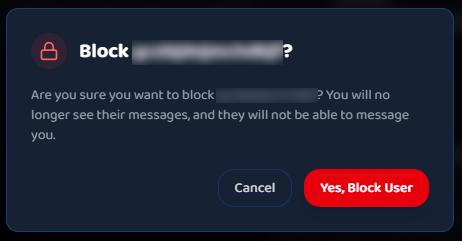
Don't want contact from a user? use the Block option from the chat. Blocking is mutual: blocked users can't message you, and their trade ads are hidden from you.
Reporting a message
If a message breaks the rules, use the Report option on it. See Reporting users and content.
Next step
Once you have agreed on terms, it is time to meet in-game. See Completing a trade in-game.
Was this article helpful?