
Completing a trade in-game
 By jerxUpdated September 6, 2026
You have agreed on a deal in chat. Now you finish it inside Roblox. Bloxtsar does not move items for you. It gets you to the point where you and your partner can safely swap in-game.
1. Join from their linked Roblox account
This is the main and safest way to meet up. Every Bloxtsar profile shows the Roblox account that trader has verified and linked.
- Open the other trader's Bloxtsar profile.
- Find their verified, linked Roblox account.
- Join their game from there.
Because that account is verified on their profile, you know you are joining the real person and not someone pretending to be them.
If they send you a username
Sometimes a trader will just type a Roblox username in chat instead. Before you join it, always check that the username matches the verified Roblox account on their Bloxtsar profile.
If it does not match, do not join. Scammers often send a look-alike username to steer you into the wrong server. When in doubt, join straight from their profile instead.
2. Trade Servers (optional)
You can also meet in a Trade Server, a list of live public Roblox servers for the game. Open your hub's Trade Servers page (for example, Baddies Trade Servers), pick a server, hit Join, and ask your partner to join the same one. Trade Servers are optional, but handy when you want a neutral spot to meet.
Some games gate trading behind an in-game level. Fisch requires level 15 and Racket Rivals requires level 9. You will see a note on the Trade Servers page when that applies.
3. Send the in-game trade
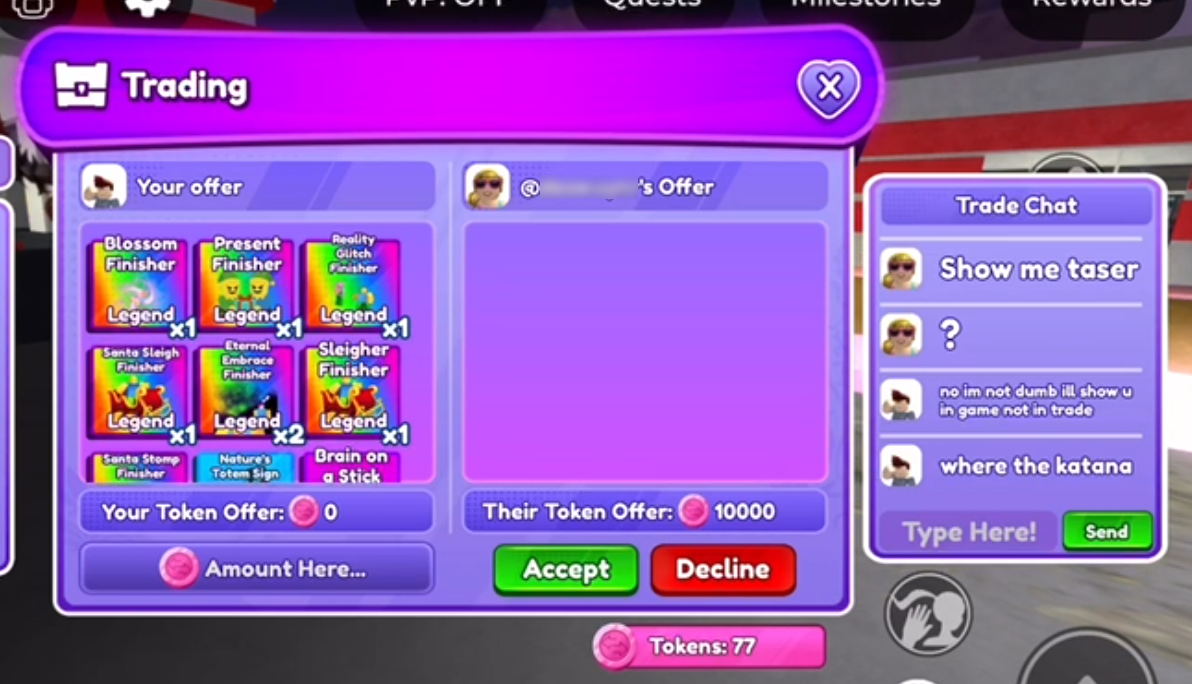
Start the trade with the other player in Roblox and add exactly the items you agreed on.
4. Check every item before you accept
This is the moment scams happen. Before you hit accept:
- Confirm every item and every quantity matches what you agreed.
- Watch for last-second swaps. Scammers change an item right before you confirm.
- Make sure the names are exact. Look-alike items are a classic trick.
- Never accept because you are being rushed. Take your time.
If anything looks off, decline and re-add, or walk away.
5. Mark your ad completed
Back on Bloxtsar, open your trade ad and set it to Completed so the feed stays accurate. Consider leaving the trader a rating so the community knows they are reliable.
Golden rules
- Trade only in-game, item-for-item.
- There are no legit middlemen or "trust trades." See the Community Guidelines.
- Never hand over items first on a promise to pay you back.
- Neither Bloxtsar nor Roblox can reverse a completed trade.
More in How to trade safely and Common Roblox trading scams.
Was this article helpful?