
How to set IM auto-replies
 By jerxUpdated September 6, 2026
Auto-replies send a set message to anyone who DMs you, based on your current status. You can write a different one for each of your four presence states.
Set one up
- Go to Settings and open the IM Settings tab.
- Find the Auto Reply card. It lists four rows: Online, Busy, Resting, and Offline.
- Click Edit on the status you want.
- Type your message. Each one is capped at 200 characters, with a counter.
- Click Save. Saving turns that auto-reply on automatically.
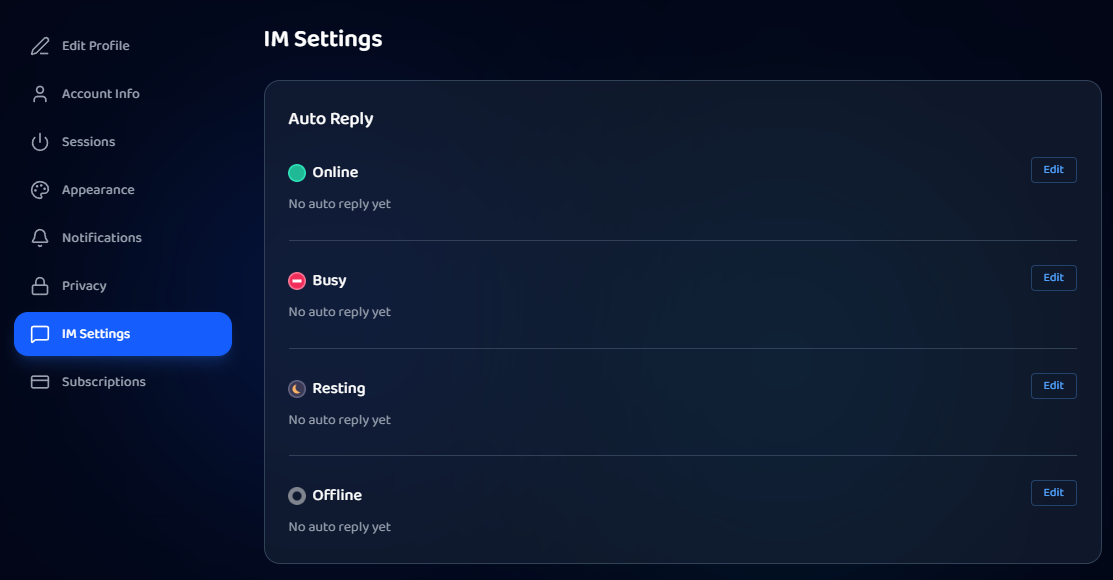
Turning them on and off
Once a status has a message, a toggle appears on its row so you can switch that auto-reply on or off without deleting it. Rows with no message show "No auto reply yet." Clearing the text turns the reply off.
How they trigger
The reply that fires depends on your current presence status. For example, the Offline message works as your away response when you're set to Invisible. Change your status from the chat sidebar, see How to change your online status.
Good to know
- Auto-reply text is moderated, so no off-platform links or anything against the guidelines. A blocked message won't save.
- Keep it short and helpful, for example: "Away right now, I'll reply to offers when I'm back this evening."
Was this article helpful?