
Trade Servers
 By jerxUpdated September 6, 2026
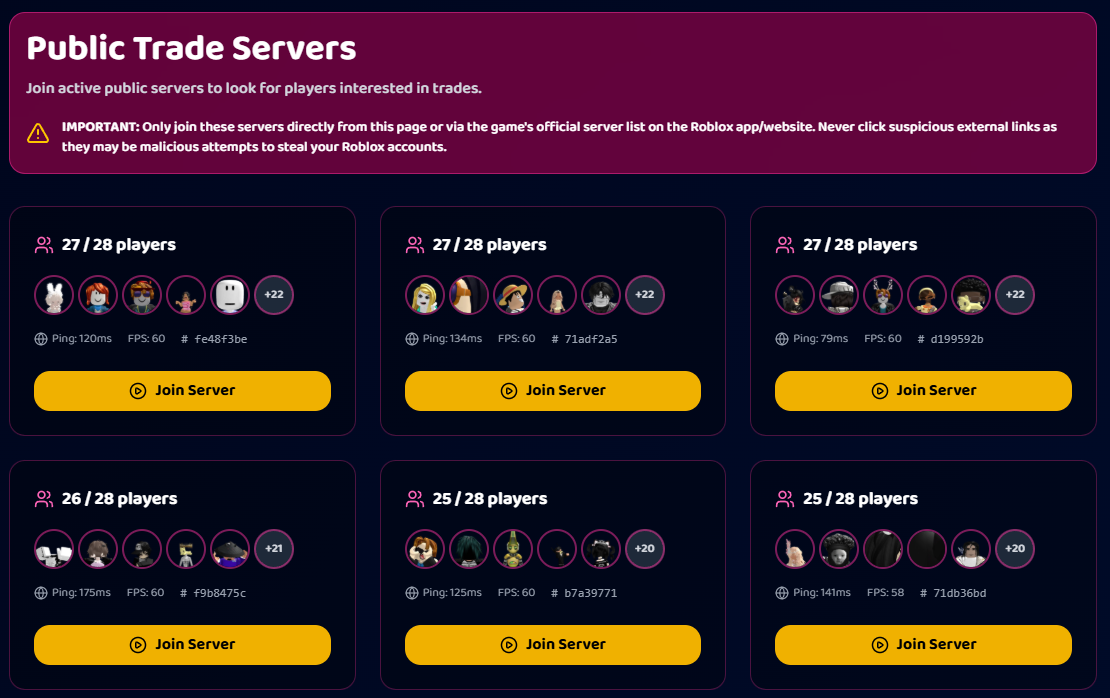
Once you have agreed on a trade, you both need to be in the same Roblox server to swap. Trade Servers makes that easy by listing live public servers for the game, ready to join in one click.
Using it
- Open your game hub's Trade Servers page (for example, Baddies Trade Servers).
- Pick a server from the live list and hit Join. It launches you into that Roblox server.
- Share the same server with your partner so you both end up together, then start the in-game trade.
The list refreshes so you are seeing servers that are actually up, and you can page through to find one with room.
Which games have it
Trade Servers is available for the games where in-server trading is the norm, including Baddies, Blade Ball, Fisch, Racket Rivals, Grow a Garden, Hypershot, and Pet Simulator 99. If a game does not support it, the page simply won't be there.
In-game requirements
Some games require a minimum in-game level before the game lets you trade. When that applies, you'll see a note on the Trade Servers page. For example:
- Fisch: level 15 required to trade.
- Racket Rivals: level 9 required to trade.
Then finish safely
Meeting up is just step one. Check every item before you accept. See Completing a trade in-game and How to trade safely.
Tip
Agree on which server to join before you both jump in. It saves a lot of "where are you?" back-and-forth.
Was this article helpful?